Account Hooks
Introduction
Account Hooks are a way to add further customization to your Husonym account.
Husonym Version Availability
Creating or modifying an Account Hook, and turning one back on, require a valid license. Viewing, turning off and deleting never do. See Licensing.
How to configure Account Hooks
This section will cover how to configure hooks in the Husonym UI. They can also be configured via the API and soon the Terraform provider.
Getting there
Account Hooks can be via the settings page for your account.
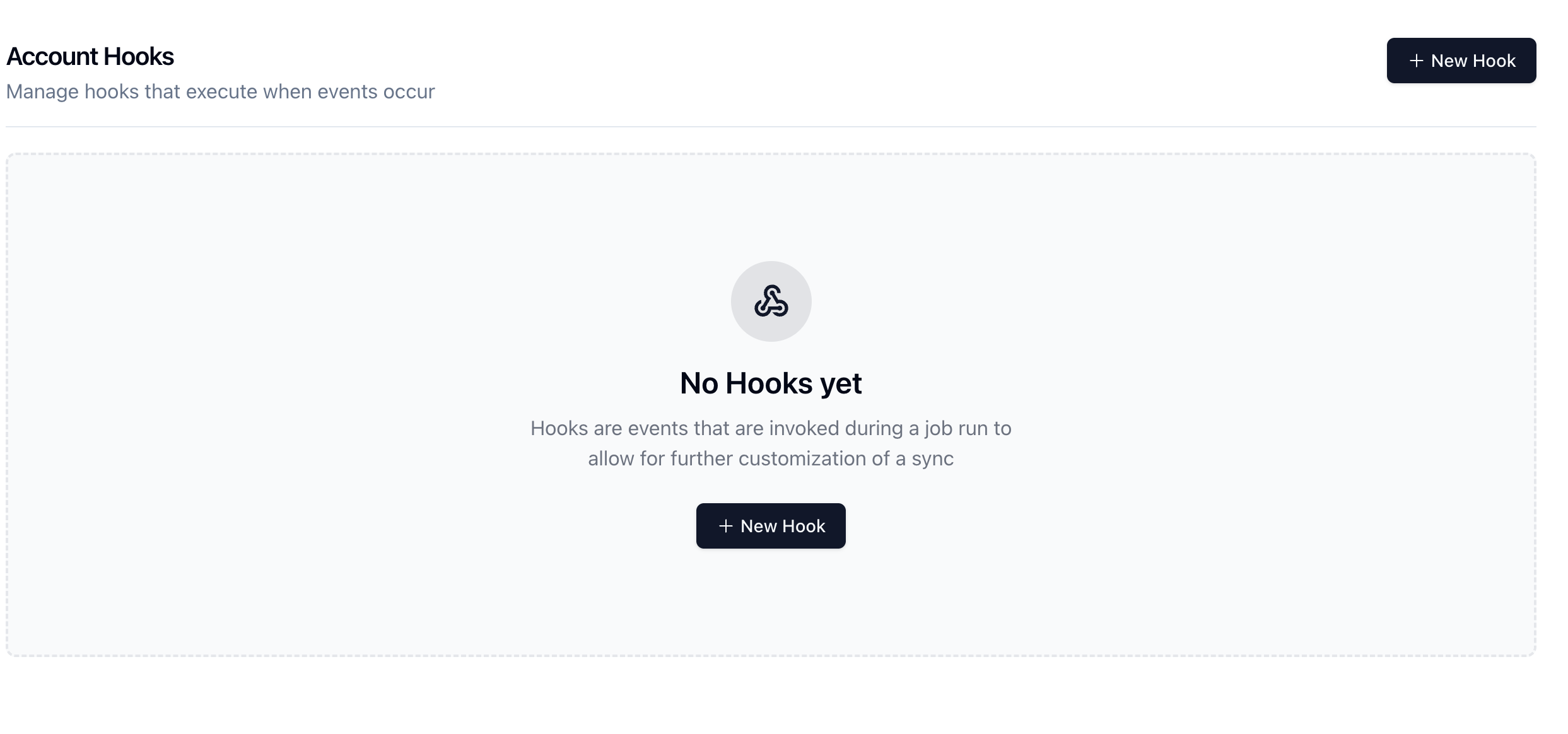
Creating a new hook
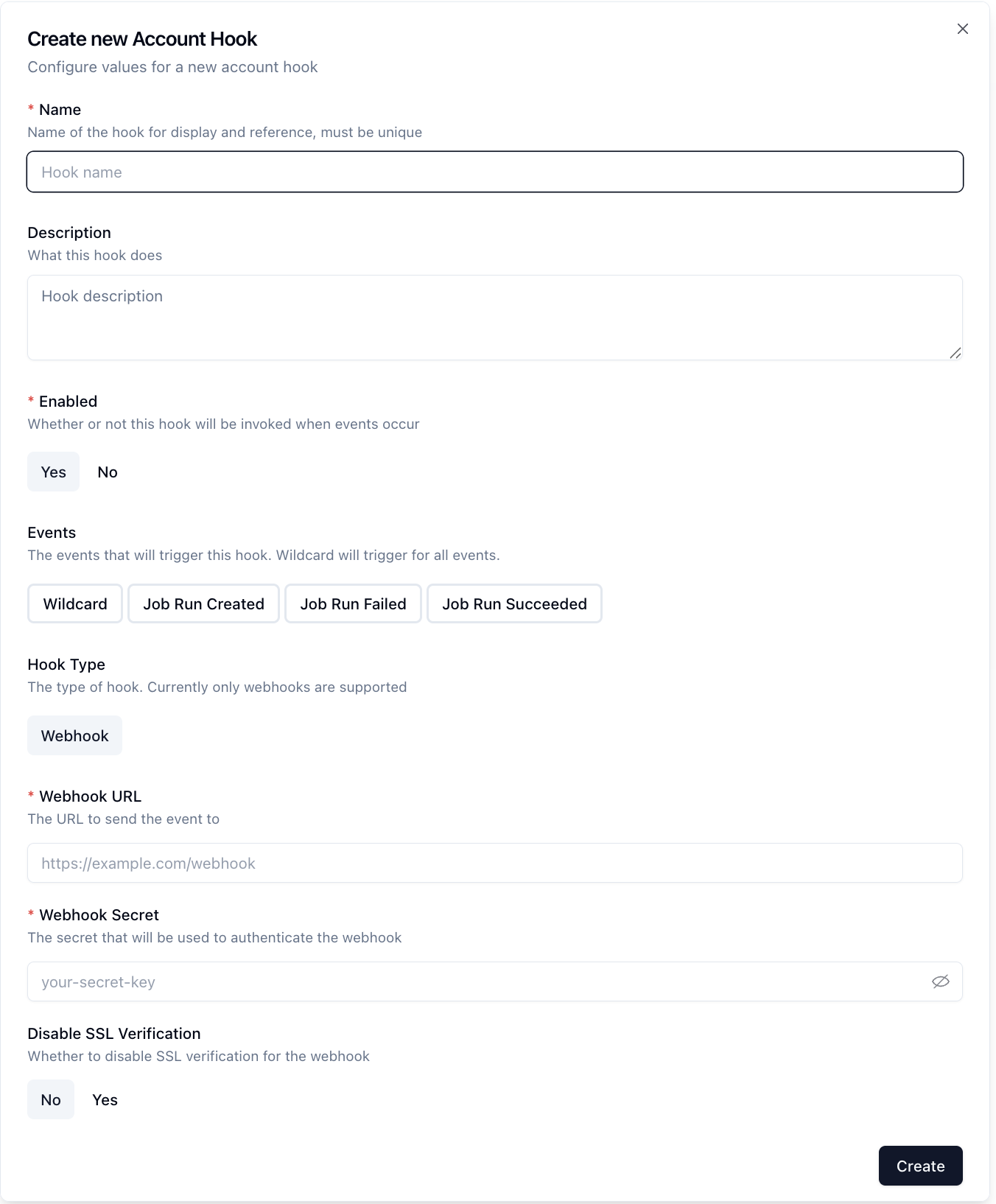
From here a new hook may be created. Click on the new hook button and you'll be presented with a new hook form to fill out.
There are a few different configuration options available to you to further fine tune when the hook runs.
Today, the Webhook hook is the supported kind. The Slack kind has been retired: a Slack hook that already exists is still listed, can be disabled and deleted, but is no longer run. Replace it with a webhook.
Execution order strategy
When an event is emitted, Husonym retrieves all active hooks for the event and starts them all, in order of creation, without waiting for one to finish before starting the next. The hooks run concurrently: no order of completion is guaranteed, and a hook that fails does not stop or delay the others.
A hook that is disabled or deleted while an event is being processed is not called for that event.
Hooks never change the outcome of a job run: a run does not wait for its hooks, and a hook that fails leaves the run as it is.
Enabling/Disabling Hooks
Hooks can be easily enabled or disabled by clicking the toggle button in the hook creation or edit form.
This is useful if you want to temporarily disable a hook without having to delete it.
Events
Today, there are 3 events that can trigger a hook:
Job Run CreatedJob Run FailedJob Run Succeeded
Each event follows the same format, with the only difference being the payload. The body of a webhook names the event and carries it:
{
  // The name of the event: ACCOUNT_HOOK_EVENT_JOB_RUN_CREATED,
  // ACCOUNT_HOOK_EVENT_JOB_RUN_FAILED or ACCOUNT_HOOK_EVENT_JOB_RUN_SUCCEEDED
  "event_name": "ACCOUNT_HOOK_EVENT_JOB_RUN_SUCCEEDED",
  "event_data": {
    "name": 3, // The event as a number: 1 created, 2 failed, 3 succeeded
    "accountId": "<account-id>", // The account ID the event occurred in
    "timestamp": "2026-10-03T07:51:53.058540394Z", // When the event occurred, in UTC time

    // The payload for the event. Only the key of the event that occurred is present:
    // jobRunCreated, jobRunFailed or jobRunSucceeded.
    "jobRunSucceeded": {
      "jobId": "<job-id>",
      "jobRunId": "<job-run-id>",
    },
  },
}
The body is sent compact, on one line and without the comments. This is the exact body of a Job Run Succeeded event, the bytes that the signatures are computed on:
{"event_name":"ACCOUNT_HOOK_EVENT_JOB_RUN_SUCCEEDED","event_data":{"name":3,"accountId":"acc-replay","timestamp":"2026-10-03T07:51:53.058540394Z","jobRunSucceeded":{"jobId":"job-replay","jobRunId":"datasync-before"}}}
Job Run Created
The payload for the Job Run Created event is the following:
{
  "jobId": "<job-id>",
  "jobRunId": "<job-run-id>"
}
Job Run Failed
The payload for the Job Run Failed event is the following:
{
  "jobId": "<job-id>",
  "jobRunId": "<job-run-id>"
}
Job Run Succeeded
The payload for the Job Run Succeeded event is the following:
{
  "jobId": "<job-id>",
  "jobRunId": "<job-run-id>"
}
Webhooks
Webhooks are bare bones web requests that give you full control over what to do with the messages. The possibilities are endless!
Webhook Authentication
Webhooks are authenticated using a HMAC hash of the payload and a secret key.
The secret key is set when the webhook is created and is used to verify that the webhook is coming from Husonym.
The HMAC hash is generated using the SHA256 algorithm and the secret key.
The HMAC hash is sent in the X-Husonym-Signature header, in lowercase hexadecimal.
The HMAC hash algorithm is sent in the X-Husonym-Signature-Type header.
This signature covers the request body alone. A second signature, described below, also covers the time of the request, which lets a receiver refuse a request that is replayed later.
Delivery Id, Timestamp and Timestamped Signature
Each request also carries the three headers of the Standard Webhooks specification:
| Header | Value |
|---|---|
webhook-id | The id of the delivery of one event to one hook. Every attempt of the same delivery carries the same id. |
webhook-timestamp | The time of the attempt, in seconds since the Unix epoch. Each attempt carries its own. |
webhook-signature | v1, followed by the base64 of the HMAC-SHA256 of <webhook-id>.<webhook-timestamp>.<body>, computed with the secret key. |
To verify a request, compute the signature from the two other headers and the exact bytes of the body, compare it with the one received, and refuse a request whose timestamp is too far from the current time. A tolerance of 5 minutes is a common choice.
The key of both signatures is the secret exactly as it was typed when the hook was saved. It is not a whsec_ value: a Standard Webhooks library expects its secret in base64, so give it the base64 encoding of your secret.
Duplicate Deliveries
A webhook is delivered at least once. When an attempt fails after the receiver has processed the request, for instance because the response did not arrive within the timeout, the next attempt delivers the same event again. A receiver must therefore tolerate duplicates: the webhook-id header is the same for every attempt of a delivery and can be used to recognize a request that was already processed.
Who Sees the Secret
Members who may edit the account, that is the members with the admin role, see the secret key and can change the hook.
Other members see the rest of the hook with the secret hidden: the API returns ******** in its place and the UI leaves the field empty. They cannot change the hook.
An API client that reads a hook with one identity and saves it with another must send the secret itself: ******** is refused as a secret, and every save replaces the stored secret with the one it carries.
Webhook URL
The URL of a webhook is an http or https address with a host, such as https://example.com/webhook. A hook is not saved with a URL of another form.
The URL must be the final address of the receiver: redirects are not followed. A response with a 3xx status is a failure, and the request is not sent to the address it names.
A receiver may live on the network of the deployment: private and loopback addresses are reachable. These addresses are never called:
- link-local addresses (
169.254.0.0/16,fe80::/10), where the metadata service of a cloud host usually lives; - the metadata addresses outside those ranges:
100.100.100.200,192.0.0.192,fd00:ec2::254andfd20:ce::254; - the unspecified address (
0.0.0.0,::) and multicast addresses (224.0.0.0/4,ff00::/8).
An IPv4 address of this list is also refused when an IPv6 address carries it in one of these forms: IPv4-mapped (::ffff:a.b.c.d), IPv4-translated (::ffff:0:a.b.c.d), IPv4-compatible (::a.b.c.d), NAT64 under 64:ff9b::/96, and 6to4 (2002::/16). No other form is recognized. The check is made on the address the name of the URL resolves to, each time a connection is made.
The worker follows the proxy settings of its environment (HTTP_PROXY, HTTPS_PROXY, NO_PROXY), whether or not the certificate verification of the hook is disabled. A webhook that these settings send to a proxy is handed to the proxy: the worker connects to the proxy and does not check the address of the receiver, so the proxy is where a deployment restricts where such webhooks may go. A webhook that the settings do not send to a proxy is sent directly, and the address of its receiver is checked as described above: this is the case of a host that NO_PROXY lists, of a URL whose scheme has no proxy set, and of localhost and loopback addresses, which never go through a proxy.
More Request Details and Response Information
Each webhook is sent as a POST request to the webhook URL.
The timeout for webhooks is 10 seconds.
If the webhook does not respond within 10 seconds, it is considered to have failed.
The webhook is considered to have failed if the response status code is not in the 200-299 range.
The webhook request body is sent as JSON and the content type is application/json. The User-Agent header is husonym.
The response body is not used. When a webhook fails, at most the first 512 bytes of the response are kept with the failure, for the operator of the deployment to read.
Example Verification in Go
package main

import (
	"crypto/hmac"
	"crypto/sha256"
	"encoding/hex"
	"fmt"
	"io"
	"net/http"
)

const SECRET = "your-secret-key"
const WEBHOOK_SIG_HEADER = "X-Husonym-Signature"

func main() {
	mux := http.NewServeMux()
	mux.HandleFunc("/webhook", func(w http.ResponseWriter, r *http.Request) {
		receivedSignature := r.Header.Get(WEBHOOK_SIG_HEADER)
		payload, err := io.ReadAll(r.Body)
		if err != nil {
			w.WriteHeader(http.StatusInternalServerError)
			return
		}

		verified, err := verifyHmac(SECRET, payload, receivedSignature)
		if err != nil {
			w.WriteHeader(http.StatusUnauthorized)
			return
		}

		if !verified {
			w.WriteHeader(http.StatusUnauthorized)
			return
		}

		// do something with the payload
		w.WriteHeader(http.StatusOK)
	})

	http.ListenAndServe(":8080", mux)
}

func verifyHmac(secret string, payload []byte, signature string) (bool, error) {
	mac := hmac.New(sha256.New, []byte(secret))
	_, err := mac.Write(payload)
	if err != nil {
		return false, fmt.Errorf("unable to write payload to hmac: %w", err)
	}
	expectedMAC := mac.Sum(nil)
	expectedSignature := hex.EncodeToString(expectedMAC)
	return hmac.Equal([]byte(signature), []byte(expectedSignature)), nil
}
Example Verification of the Timestamped Signature in Go
package webhook

import (
	"crypto/hmac"
	"crypto/sha256"
	"encoding/base64"
	"net/http"
	"strconv"
	"time"
)

const tolerance = 5 * time.Minute

// verifyTimestamped checks the webhook-signature header of a request received at now,
// and refuses a request whose timestamp is too far from now.
func verifyTimestamped(secret string, header http.Header, payload []byte, now time.Time) bool {
	id := header.Get("webhook-id")
	timestamp := header.Get("webhook-timestamp")

	seconds, err := strconv.ParseInt(timestamp, 10, 64)
	if err != nil {
		return false
	}
	if age := now.Sub(time.Unix(seconds, 0)); age > tolerance || age < -tolerance {
		return false
	}

	mac := hmac.New(sha256.New, []byte(secret))
	mac.Write([]byte(id + "." + timestamp + "."))
	mac.Write(payload)
	expected := "v1," + base64.StdEncoding.EncodeToString(mac.Sum(nil))
	return hmac.Equal([]byte(header.Get("webhook-signature")), []byte(expected))
}
Retries
A webhook that fails for a reason that may pass is attempted up to 5 times in all: the attempts that follow the first are made 5, 15, 45 and 135 seconds after the previous one. These failures are retried:
- no response: the connection failed, the certificate was refused, or the timeout was reached;
- a response with a 5xx status, or with
408,425or429.
A webhook that fails for a reason that a new attempt cannot change is not retried:
- a response with any other 4xx status;
- a response with a 3xx status, since redirects are not followed;
- a URL that is not an
httporhttpsaddress with a host, or an address that is never called.
The retry policy is applied per hook execution.
Secret Not Available to the Worker
The worker reads the secret of a hook from the API. When what it reads is the masked value ********, the webhook is not sent, and the failure says that the API returned the masked value in place of the secret. There are two causes:
- the worker is not identified by its API key, so the API hides every secret from it: check the API key of the worker;
- the stored secret of the hook is that very value: set the secret of the hook again.